6 Manipular datos
TODO * Ver Data Processing with dplyr & tidyr. Hay algunas buenas ideas ahi que nos deberian servir para mejorar nuestro documento.
- Preparar un Long to wide que no venga desde wide. Ver ejemplo de Experimento 1 Fondecyt 2015 G. Cuando se pasa de long a wide quedan muchos NAs, hay q haccer summarise?
- Vamos a usar la siguiente base de datos.
Cargamos librerias
if (!require('readr')) install.packages('readr'); library('readr')
if (!require('dplyr')) install.packages('dplyr'); library('dplyr')
if (!require('tidyr')) install.packages('tidyr'); library('tidyr')
if (!require('stringr')) install.packages('stringr'); library('stringr')
6.1 Leer y guardar datos
6.1.1 Leer datos
raw_data = read_csv("Data/05-Manipulate_data/Manipulate_data_1.csv"); raw_data## # A tibble: 30 x 11
## ID `Columna basura` Sexo Edad VI1 VI2 VI3 VI1_t VI2_t VI3_t
## <dbl> <chr> <dbl> <dbl> <dbl> <dbl> <dbl> <dbl> <dbl> <dbl>
## 1 1 xx 0 26 98 29 19 2398 7432 404
## 2 2 yy 0 33 15 35 4 4893 9918 394
## 3 3 xx 1 37 7 6 3 4099 6518 304
## 4 4 yy 1 19 59 32 14 1792 9476 149
## 5 5 zz 0 29 65 12 17 3280 3438 18
## 6 6 xx 1 34 43 17 7 1350 433 168
## 7 7 yy 0 21 8 32 1 3405 1265 413
## 8 8 zz 0 35 93 12 17 1014 8018 50
## 9 9 xx 0 23 81 42 8 516 548 491
## 10 10 yy 1 19 41 42 18 2232 6105 227
## # … with 20 more rows, and 1 more variable: Composited_var <chr>6.1.2 Guardar DB a archivo
write_csv(raw_data, "Data/05-Manipulate_data/Manipulate_saved_data.csv")6.2 Ver output vs asignar output
Cuando usamos = o <- asignamos lo que ocurre a la derecha a la variable de la izquierda. En caso contrario, simplemente vemos el output, pero sin asignarlo.
# Creamos la variable temp para no sobreescribir raw_data
temp = raw_data

# Seleccionamos la columna "Columna basura", pero sin "guardar" el resultado
temp %>% select(`Columna basura`)
## # A tibble: 30 x 1
## `Columna basura`
## <chr>
## 1 xx
## 2 yy
## 3 xx
## 4 yy
## 5 zz
## 6 xx
## 7 yy
## 8 zz
## 9 xx
## 10 yy
## # … with 20 more rows# temp no ha cambiado
temp## # A tibble: 30 x 11
## ID `Columna basura` Sexo Edad VI1 VI2 VI3 VI1_t VI2_t VI3_t
## <dbl> <chr> <dbl> <dbl> <dbl> <dbl> <dbl> <dbl> <dbl> <dbl>
## 1 1 xx 0 26 98 29 19 2398 7432 404
## 2 2 yy 0 33 15 35 4 4893 9918 394
## 3 3 xx 1 37 7 6 3 4099 6518 304
## 4 4 yy 1 19 59 32 14 1792 9476 149
## 5 5 zz 0 29 65 12 17 3280 3438 18
## 6 6 xx 1 34 43 17 7 1350 433 168
## 7 7 yy 0 21 8 32 1 3405 1265 413
## 8 8 zz 0 35 93 12 17 1014 8018 50
## 9 9 xx 0 23 81 42 8 516 548 491
## 10 10 yy 1 19 41 42 18 2232 6105 227
## # … with 20 more rows, and 1 more variable: Composited_var <chr># Lo mismo de antes pero ahora con "temp =" lo que hace que guardemos el resultado en "temp"
temp = temp %>% select(`Columna basura`)
# temp ha cambiado
temp## # A tibble: 30 x 1
## `Columna basura`
## <chr>
## 1 xx
## 2 yy
## 3 xx
## 4 yy
## 5 zz
## 6 xx
## 7 yy
## 8 zz
## 9 xx
## 10 yy
## # … with 20 more rows6.3 Verbos de dplyr
TODO: ORDENAR SECCION PARA QUE SEA COHERENTE CON TABLA
dplyr es un conjunto de funciones que nos permiten manipular los datos de manera relativamente sencilla y con una sintaxis muy legible. Con dplyr usamos el operador %>% que es una “tubería” que traslada lo que esta a su izquierda hacia la derecha. Esto permite concatenar multiples funciones (verbos) y realizar operaciones muy complejas en un solo “paso” y con una sintaxis facil de leer.
| Tarea | Función | Ejemplo |
|---|---|---|
| Filtrar | filter() | datos %>% filter(Sexo == 1) |
| Ordenar | arrange() | datos %>% arrange(Sexo) |
| Seleccionar/eliminar variables | select() | datos %>% select(-Sexo) |
| Renombrar variables | rename() | datos %>% rename(Genero = Sexo) |
| Separate contents of variable | separate() | datos %>% separate(Composited_var, c("First", "Second"), sep = "_") |
| Extraer valores únicos | distinct() | datos %>% distinct(Edad, .keep_all = T) |
| Crear/modificar variables | mutate() | datos %>% mutate(Viejuno = Edad > 30) |
| Omitir NAs | na.omit() o drop_na() | datos %>% drop_na(Sexo) |
| Wide to long | gather() | datos %>% gather(Condition, VD, 4:6) |
| Long to wide | spread() | datos %>% spread(Condition, VD) |
| Combinar bases de datos | left_join() | left_join(datos1, datos2, by = "ID") |
| Recodificar valores | ifelse() | datos %>% mutate(Edad = ifelse ( Edad > 30, "Viejuno", "Pipiolo")) |
| Recodificar valores | case_when() | datos %>% mutate(Edad = case_when(.$Edad > 30 ~ "Viejuno", "Pipiolo))" |
6.3.1 Filtrar datos
# Nos quedamos solo con Sexo == 1
raw_data %>% filter(Sexo == 1)
## # A tibble: 18 x 11
## ID `Columna basura` Sexo Edad VI1 VI2 VI3 VI1_t VI2_t VI3_t
## <dbl> <chr> <dbl> <dbl> <dbl> <dbl> <dbl> <dbl> <dbl> <dbl>
## 1 3 xx 1 37 7 6 3 4099 6518 304
## 2 4 yy 1 19 59 32 14 1792 9476 149
## 3 6 xx 1 34 43 17 7 1350 433 168
## 4 10 yy 1 19 41 42 18 2232 6105 227
## 5 12 xx 1 27 23 40 19 4407 3987 141
## 6 15 xx 1 20 61 1 15 2140 3305 168
## 7 16 yy 1 21 99 3 16 679 7278 401
## 8 17 zz 1 30 70 3 3 4902 1229 435
## 9 18 xx 1 20 65 5 13 4846 3906 13
## 10 19 yy 1 23 96 15 5 4076 5883 369
## 11 20 zz 1 28 68 12 5 863 847 335
## 12 21 xx 1 23 67 45 4 3368 8611 295
## 13 22 yy 1 32 78 8 11 3311 7164 333
## 14 23 zz 1 28 25 12 8 3558 617 98
## 15 24 xx 1 25 72 48 6 1917 2501 310
## 16 25 yy 1 28 53 34 14 1974 582 493
## 17 27 xx 1 22 68 44 2 537 6455 88
## 18 30 xx 1 35 87 18 5 1682 8256 405
## # … with 1 more variable: Composited_var <chr># Filtramos por sexo, edad, y Tiempo
raw_data %>% filter(Sexo == 1, Edad > 25, VI1_t < mean(VI1_t)) ## # A tibble: 4 x 11
## ID `Columna basura` Sexo Edad VI1 VI2 VI3 VI1_t VI2_t VI3_t
## <dbl> <chr> <dbl> <dbl> <dbl> <dbl> <dbl> <dbl> <dbl> <dbl>
## 1 6 xx 1 34 43 17 7 1350 433 168
## 2 20 zz 1 28 68 12 5 863 847 335
## 3 25 yy 1 28 53 34 14 1974 582 493
## 4 30 xx 1 35 87 18 5 1682 8256 405
## # … with 1 more variable: Composited_var <chr># Filtramos aquellas respuestas que se han dado 2.5 desviaciones tipicas por encima o debajo de la media
raw_data %>% filter(
VI1 < mean(VI1) + 2.5 * sd(VI1),
VI1 > mean(VI1) - 2.5 * sd(VI1)
) ## # A tibble: 30 x 11
## ID `Columna basura` Sexo Edad VI1 VI2 VI3 VI1_t VI2_t VI3_t
## <dbl> <chr> <dbl> <dbl> <dbl> <dbl> <dbl> <dbl> <dbl> <dbl>
## 1 1 xx 0 26 98 29 19 2398 7432 404
## 2 2 yy 0 33 15 35 4 4893 9918 394
## 3 3 xx 1 37 7 6 3 4099 6518 304
## 4 4 yy 1 19 59 32 14 1792 9476 149
## 5 5 zz 0 29 65 12 17 3280 3438 18
## 6 6 xx 1 34 43 17 7 1350 433 168
## 7 7 yy 0 21 8 32 1 3405 1265 413
## 8 8 zz 0 35 93 12 17 1014 8018 50
## 9 9 xx 0 23 81 42 8 516 548 491
## 10 10 yy 1 19 41 42 18 2232 6105 227
## # … with 20 more rows, and 1 more variable: Composited_var <chr># Filtrar filas donde aparece determinado texto
raw_data %>% filter(str_detect(`Columna basura`, "zz"))## # A tibble: 9 x 11
## ID `Columna basura` Sexo Edad VI1 VI2 VI3 VI1_t VI2_t VI3_t
## <dbl> <chr> <dbl> <dbl> <dbl> <dbl> <dbl> <dbl> <dbl> <dbl>
## 1 5 zz 0 29 65 12 17 3280 3438 18
## 2 8 zz 0 35 93 12 17 1014 8018 50
## 3 11 zz 0 23 51 45 12 2629 6950 464
## 4 14 zz 0 27 89 9 7 1897 9155 80
## 5 17 zz 1 30 70 3 3 4902 1229 435
## 6 20 zz 1 28 68 12 5 863 847 335
## 7 23 zz 1 28 25 12 8 3558 617 98
## 8 26 zz 0 21 83 26 6 3305 6470 318
## 9 29 zz 0 37 88 12 11 4546 5188 380
## # … with 1 more variable: Composited_var <chr>6.3.2 Ordenar DB
#raw_data %>% arrange(desc(Edad))
raw_data %>% arrange(Edad, Sexo)
## # A tibble: 30 x 11
## ID `Columna basura` Sexo Edad VI1 VI2 VI3 VI1_t VI2_t VI3_t
## <dbl> <chr> <dbl> <dbl> <dbl> <dbl> <dbl> <dbl> <dbl> <dbl>
## 1 4 yy 1 19 59 32 14 1792 9476 149
## 2 10 yy 1 19 41 42 18 2232 6105 227
## 3 13 yy 0 20 24 41 0 4680 192 195
## 4 28 yy 0 20 25 2 2 964 1484 35
## 5 15 xx 1 20 61 1 15 2140 3305 168
## 6 18 xx 1 20 65 5 13 4846 3906 13
## 7 7 yy 0 21 8 32 1 3405 1265 413
## 8 26 zz 0 21 83 26 6 3305 6470 318
## 9 16 yy 1 21 99 3 16 679 7278 401
## 10 27 xx 1 22 68 44 2 537 6455 88
## # … with 20 more rows, and 1 more variable: Composited_var <chr>6.3.3 Seleccionar variables
# Seleccionamos varias columnas
raw_data %>% select(ID, Sexo, Edad, VI1)
## # A tibble: 30 x 4
## ID Sexo Edad VI1
## <dbl> <dbl> <dbl> <dbl>
## 1 1 0 26 98
## 2 2 0 33 15
## 3 3 1 37 7
## 4 4 1 19 59
## 5 5 0 29 65
## 6 6 1 34 43
## 7 7 0 21 8
## 8 8 0 35 93
## 9 9 0 23 81
## 10 10 1 19 41
## # … with 20 more rows# Podemos usar el número de columna
raw_data %>% select(1,3:4)## # A tibble: 30 x 3
## ID Sexo Edad
## <dbl> <dbl> <dbl>
## 1 1 0 26
## 2 2 0 33
## 3 3 1 37
## 4 4 1 19
## 5 5 0 29
## 6 6 1 34
## 7 7 0 21
## 8 8 0 35
## 9 9 0 23
## 10 10 1 19
## # … with 20 more rows
Para seleccionar varias columnas rapidamente usaremos la subfunción de select(), matches(). En esta podemos usar algo llamado Regular Expressions, cuyo poder y dificultad es infinito. Ver por ejemplo, una expresión regular para validar numeros romanos: ^M{0,4}(CM|CD|D?C{0,3})(XC|XL|L?X{0,3})(IX|IV|V?I{0,3})$
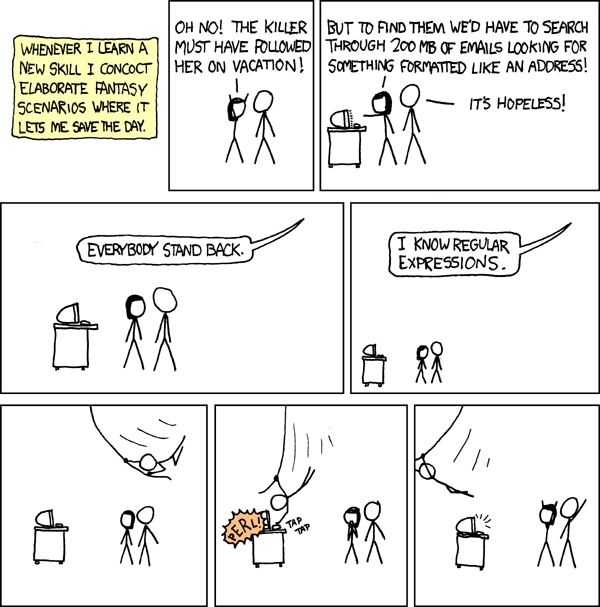
Nosotros usaremos la versión para todos los públicos, en la que simplemente indicaremos un fragmento de texto que buscar en los títulos de las columnas de nuestro data frame.
# Seleccionamos las columnas que nos interesan usando matches()
datos = raw_data %>% select(ID, Sexo, Edad, matches("VI"))

#Vemos datos
datos
## # A tibble: 30 x 9
## ID Sexo Edad VI1 VI2 VI3 VI1_t VI2_t VI3_t
## <dbl> <dbl> <dbl> <dbl> <dbl> <dbl> <dbl> <dbl> <dbl>
## 1 1 0 26 98 29 19 2398 7432 404
## 2 2 0 33 15 35 4 4893 9918 394
## 3 3 1 37 7 6 3 4099 6518 304
## 4 4 1 19 59 32 14 1792 9476 149
## 5 5 0 29 65 12 17 3280 3438 18
## 6 6 1 34 43 17 7 1350 433 168
## 7 7 0 21 8 32 1 3405 1265 413
## 8 8 0 35 93 12 17 1014 8018 50
## 9 9 0 23 81 42 8 516 548 491
## 10 10 1 19 41 42 18 2232 6105 227
## # … with 20 more rows6.3.4 Renombrar variables
# Renombramos columna X. En este caso, como el nombre de columna contiene espacios, tenemos que usar ``
raw_data %>% dplyr::rename(Columna_basura = `Columna basura`)
## # A tibble: 30 x 11
## ID Columna_basura Sexo Edad VI1 VI2 VI3 VI1_t VI2_t VI3_t
## <dbl> <chr> <dbl> <dbl> <dbl> <dbl> <dbl> <dbl> <dbl> <dbl>
## 1 1 xx 0 26 98 29 19 2398 7432 404
## 2 2 yy 0 33 15 35 4 4893 9918 394
## 3 3 xx 1 37 7 6 3 4099 6518 304
## 4 4 yy 1 19 59 32 14 1792 9476 149
## 5 5 zz 0 29 65 12 17 3280 3438 18
## 6 6 xx 1 34 43 17 7 1350 433 168
## 7 7 yy 0 21 8 32 1 3405 1265 413
## 8 8 zz 0 35 93 12 17 1014 8018 50
## 9 9 xx 0 23 81 42 8 516 548 491
## 10 10 yy 1 19 41 42 18 2232 6105 227
## # … with 20 more rows, and 1 more variable: Composited_var <chr>Renombrado avanzado
Rename using the position of the column
raw_data %>% dplyr::rename(second_column = !!names(.[2]), first_column = !!names(.[1]))## # A tibble: 30 x 11
## first_column second_column Sexo Edad VI1 VI2 VI3 VI1_t VI2_t VI3_t
## <dbl> <chr> <dbl> <dbl> <dbl> <dbl> <dbl> <dbl> <dbl> <dbl>
## 1 1 xx 0 26 98 29 19 2398 7432 404
## 2 2 yy 0 33 15 35 4 4893 9918 394
## 3 3 xx 1 37 7 6 3 4099 6518 304
## 4 4 yy 1 19 59 32 14 1792 9476 149
## 5 5 zz 0 29 65 12 17 3280 3438 18
## 6 6 xx 1 34 43 17 7 1350 433 168
## 7 7 yy 0 21 8 32 1 3405 1265 413
## 8 8 zz 0 35 93 12 17 1014 8018 50
## 9 9 xx 0 23 81 42 8 516 548 491
## 10 10 yy 1 19 41 42 18 2232 6105 227
## # … with 20 more rows, and 1 more variable: Composited_var <chr>6.3.5 Separate contents of a single variable
raw_data %>% separate(Composited_var, c("First", "Second"), sep = "_")## # A tibble: 30 x 12
## ID `Columna basura` Sexo Edad VI1 VI2 VI3 VI1_t VI2_t VI3_t First
## <dbl> <chr> <dbl> <dbl> <dbl> <dbl> <dbl> <dbl> <dbl> <dbl> <chr>
## 1 1 xx 0 26 98 29 19 2398 7432 404 NameV…
## 2 2 yy 0 33 15 35 4 4893 9918 394 NameV…
## 3 3 xx 1 37 7 6 3 4099 6518 304 NameV…
## 4 4 yy 1 19 59 32 14 1792 9476 149 NameV…
## 5 5 zz 0 29 65 12 17 3280 3438 18 NameV…
## 6 6 xx 1 34 43 17 7 1350 433 168 NameV…
## 7 7 yy 0 21 8 32 1 3405 1265 413 NameV…
## 8 8 zz 0 35 93 12 17 1014 8018 50 NameV…
## 9 9 xx 0 23 81 42 8 516 548 491 NameV…
## 10 10 yy 1 19 41 42 18 2232 6105 227 NameV…
## # … with 20 more rows, and 1 more variable: Second <chr>6.3.6 Wide to Long format
Cuando tenemos una condición por columna (como en la tabla de arriba) pero queremos los valores de las condiciones en una columna y los valores de la VD en otra:
data_long_RAW = datos %>%
  gather(Condition, VD, 4:6, factor_key = TRUE, convert = F) %>%
  gather(Condition_t, VD_t, 4:6, factor_key = TRUE, convert = F)

data_long_RAW %>% select(-Condition_t) %>% arrange(ID)
## # A tibble: 270 x 6
## ID Sexo Edad Condition VD VD_t
## <dbl> <dbl> <dbl> <fct> <dbl> <dbl>
## 1 1 0 26 VI1 98 2398
## 2 1 0 26 VI2 29 2398
## 3 1 0 26 VI3 19 2398
## 4 1 0 26 VI1 98 7432
## 5 1 0 26 VI2 29 7432
## 6 1 0 26 VI3 19 7432
## 7 1 0 26 VI1 98 404
## 8 1 0 26 VI2 29 404
## 9 1 0 26 VI3 19 404
## 10 2 0 33 VI1 15 4893
## # … with 260 more rows6.3.7 Long to wide
Cuando tenemos unos datos en formato long y queremos formato wide.
data_long_RAW %>%
  spread(Condition, VD) %>%
  spread(Condition_t, VD_t)
## # A tibble: 30 x 9
## ID Sexo Edad VI1 VI2 VI3 VI1_t VI2_t VI3_t
## <dbl> <dbl> <dbl> <dbl> <dbl> <dbl> <dbl> <dbl> <dbl>
## 1 1 0 26 98 29 19 2398 7432 404
## 2 2 0 33 15 35 4 4893 9918 394
## 3 3 1 37 7 6 3 4099 6518 304
## 4 4 1 19 59 32 14 1792 9476 149
## 5 5 0 29 65 12 17 3280 3438 18
## 6 6 1 34 43 17 7 1350 433 168
## 7 7 0 21 8 32 1 3405 1265 413
## 8 8 0 35 93 12 17 1014 8018 50
## 9 9 0 23 81 42 8 516 548 491
## 10 10 1 19 41 42 18 2232 6105 227
## # … with 20 more rows6.3.8 Omitir NAs
#Filter OUT NAs in Follow_UP
# data_long_RAW %>% na.omit(VD) #ESTE NO FUNCIONARA!!!!????
data_long_RAW = data_long_RAW %>% drop_na(VD)
6.3.9 Eliminar variables
# Eliminamos columna X
data_long_RAW = data_long_RAW %>% select(-Condition_t)
6.3.10 Crear nuevas variables:
6.3.10.1 A partir de criterios logicos
data_long_RAW %>% mutate(Viejuno = Edad > 30)## # A tibble: 270 x 7
## ID Sexo Edad Condition VD VD_t Viejuno
## <dbl> <dbl> <dbl> <fct> <dbl> <dbl> <lgl>
## 1 1 0 26 VI1 98 2398 FALSE
## 2 2 0 33 VI1 15 4893 TRUE
## 3 3 1 37 VI1 7 4099 TRUE
## 4 4 1 19 VI1 59 1792 FALSE
## 5 5 0 29 VI1 65 3280 FALSE
## 6 6 1 34 VI1 43 1350 TRUE
## 7 7 0 21 VI1 8 3405 FALSE
## 8 8 0 35 VI1 93 1014 TRUE
## 9 9 0 23 VI1 81 516 FALSE
## 10 10 1 19 VI1 41 2232 FALSE
## # … with 260 more rows6.3.10.2 Transformando otras variables
data_long_RAW %>% mutate(RT_log = log(VD_t))## # A tibble: 270 x 7
## ID Sexo Edad Condition VD VD_t RT_log
## <dbl> <dbl> <dbl> <fct> <dbl> <dbl> <dbl>
## 1 1 0 26 VI1 98 2398 7.78
## 2 2 0 33 VI1 15 4893 8.50
## 3 3 1 37 VI1 7 4099 8.32
## 4 4 1 19 VI1 59 1792 7.49
## 5 5 0 29 VI1 65 3280 8.10
## 6 6 1 34 VI1 43 1350 7.21
## 7 7 0 21 VI1 8 3405 8.13
## 8 8 0 35 VI1 93 1014 6.92
## 9 9 0 23 VI1 81 516 6.25
## 10 10 1 19 VI1 41 2232 7.71
## # … with 260 more rows6.3.11 Recodificamos datos
6.3.11.1 Cambiamos el tipo de datos
TODO: masivamente, todos los integer a algo
# Cambiamos a Character
data_long_RAW %>% mutate(Edad = as.character(Edad))
## # A tibble: 270 x 6
## ID Sexo Edad Condition VD VD_t
## <dbl> <dbl> <chr> <fct> <dbl> <dbl>
## 1 1 0 26 VI1 98 2398
## 2 2 0 33 VI1 15 4893
## 3 3 1 37 VI1 7 4099
## 4 4 1 19 VI1 59 1792
## 5 5 0 29 VI1 65 3280
## 6 6 1 34 VI1 43 1350
## 7 7 0 21 VI1 8 3405
## 8 8 0 35 VI1 93 1014
## 9 9 0 23 VI1 81 516
## 10 10 1 19 VI1 41 2232
## # … with 260 more rows# Cambiamos a Integer
data_long_RAW %>% mutate(Edad = as.integer(Edad))## # A tibble: 270 x 6
## ID Sexo Edad Condition VD VD_t
## <dbl> <dbl> <int> <fct> <dbl> <dbl>
## 1 1 0 26 VI1 98 2398
## 2 2 0 33 VI1 15 4893
## 3 3 1 37 VI1 7 4099
## 4 4 1 19 VI1 59 1792
## 5 5 0 29 VI1 65 3280
## 6 6 1 34 VI1 43 1350
## 7 7 0 21 VI1 8 3405
## 8 8 0 35 VI1 93 1014
## 9 9 0 23 VI1 81 516
## 10 10 1 19 VI1 41 2232
## # … with 260 more rows6.3.11.2 Recodificamos los valores
data_long_RAW %>% mutate(Edad2 =
                           ifelse( Edad > 30, "Viejuno",
                           ifelse( Edad < 30, "Pipiolo", NA)))
## # A tibble: 270 x 7
## ID Sexo Edad Condition VD VD_t Edad2
## <dbl> <dbl> <dbl> <fct> <dbl> <dbl> <chr>
## 1 1 0 26 VI1 98 2398 Pipiolo
## 2 2 0 33 VI1 15 4893 Viejuno
## 3 3 1 37 VI1 7 4099 Viejuno
## 4 4 1 19 VI1 59 1792 Pipiolo
## 5 5 0 29 VI1 65 3280 Pipiolo
## 6 6 1 34 VI1 43 1350 Viejuno
## 7 7 0 21 VI1 8 3405 Pipiolo
## 8 8 0 35 VI1 93 1014 Viejuno
## 9 9 0 23 VI1 81 516 Pipiolo
## 10 10 1 19 VI1 41 2232 Pipiolo
## # … with 260 more rowsdata_long_RAW %>% mutate(Edad2 =
case_when(
.$Edad > 30 ~ "Viejuno",
.$Edad < 30 ~ "Pipiolo"))## # A tibble: 270 x 7
## ID Sexo Edad Condition VD VD_t Edad2
## <dbl> <dbl> <dbl> <fct> <dbl> <dbl> <chr>
## 1 1 0 26 VI1 98 2398 Pipiolo
## 2 2 0 33 VI1 15 4893 Viejuno
## 3 3 1 37 VI1 7 4099 Viejuno
## 4 4 1 19 VI1 59 1792 Pipiolo
## 5 5 0 29 VI1 65 3280 Pipiolo
## 6 6 1 34 VI1 43 1350 Viejuno
## 7 7 0 21 VI1 8 3405 Pipiolo
## 8 8 0 35 VI1 93 1014 Viejuno
## 9 9 0 23 VI1 81 516 Pipiolo
## 10 10 1 19 VI1 41 2232 Pipiolo
## # … with 260 more rows6.4 Combinar bases de datos
Una funcionalidad muy potente (y sencilla!) es la de combinar bases de datos que tienen alguna columna en común. Para esto, usamos funciones como left_join(), right_join(), etc. Para más detalles, ver la sección Combine Data Sets del Cheatsheet de dplyr.
- Vamos a usar las siguientes bases de datos:
# Leemos las bases de datos
datos1 = read_csv("Data/05-Manipulate_data/Manipulate_data_2.csv"); datos1
##
## ── Column specification ────────────────────────────────────────────────────────
## cols(
## ID = col_double(),
## Sexo = col_double(),
## Edad = col_double()
## )## # A tibble: 30 x 3
## ID Sexo Edad
## <dbl> <dbl> <dbl>
## 1 1 0 26
## 2 2 0 33
## 3 3 1 37
## 4 4 1 19
## 5 5 0 29
## 6 6 1 34
## 7 7 0 21
## 8 8 0 35
## 9 9 0 23
## 10 10 1 19
## # … with 20 more rowsdatos2 = read_csv("Data/05-Manipulate_data/Manipulate_data_3.csv"); datos2##
## ── Column specification ────────────────────────────────────────────────────────
## cols(
## ID = col_double(),
## VI1 = col_double(),
## VI2 = col_double(),
## VI3 = col_double(),
## VI1_t = col_double(),
## VI2_t = col_double(),
## VI3_t = col_double()
## )## # A tibble: 30 x 7
## ID VI1 VI2 VI3 VI1_t VI2_t VI3_t
## <dbl> <dbl> <dbl> <dbl> <dbl> <dbl> <dbl>
## 1 1 98 29 19 2398 7432 404
## 2 2 15 35 4 4893 9918 394
## 3 3 7 6 3 4099 6518 304
## 4 4 59 32 14 1792 9476 149
## 5 5 65 12 17 3280 3438 18
## 6 6 43 17 7 1350 433 168
## 7 7 8 32 1 3405 1265 413
## 8 8 93 12 17 1014 8018 50
## 9 9 81 42 8 516 548 491
## 10 10 41 42 18 2232 6105 227
## # … with 20 more rows# Combinamos las bases de datos
datos_combinados = left_join(datos1, datos2, by = "ID"); datos_combinados## # A tibble: 30 x 9
## ID Sexo Edad VI1 VI2 VI3 VI1_t VI2_t VI3_t
## <dbl> <dbl> <dbl> <dbl> <dbl> <dbl> <dbl> <dbl> <dbl>
## 1 1 0 26 98 29 19 2398 7432 404
## 2 2 0 33 15 35 4 4893 9918 394
## 3 3 1 37 7 6 3 4099 6518 304
## 4 4 1 19 59 32 14 1792 9476 149
## 5 5 0 29 65 12 17 3280 3438 18
## 6 6 1 34 43 17 7 1350 433 168
## 7 7 0 21 8 32 1 3405 1265 413
## 8 8 0 35 93 12 17 1014 8018 50
## 9 9 0 23 81 42 8 516 548 491
## 10 10 1 19 41 42 18 2232 6105 227
## # … with 20 more rows6.5 Verbos avanzados
6.5.1 Cambiar multiples columnas de un tipo a otro
# raw_data %>% mutate_if(is.character, as.double) # BUG: cuando alguna de las columnas tiene un espacio, falla

# Cambiar las columnas numericas a character
raw_data %>% mutate_if(is.numeric, as.character())
## # A tibble: 30 x 11
## ID `Columna basura` Sexo Edad VI1 VI2 VI3 VI1_t VI2_t VI3_t
## <dbl> <chr> <dbl> <dbl> <dbl> <dbl> <dbl> <dbl> <dbl> <dbl>
## 1 1 xx 0 26 98 29 19 2398 7432 404
## 2 2 yy 0 33 15 35 4 4893 9918 394
## 3 3 xx 1 37 7 6 3 4099 6518 304
## 4 4 yy 1 19 59 32 14 1792 9476 149
## 5 5 zz 0 29 65 12 17 3280 3438 18
## 6 6 xx 1 34 43 17 7 1350 433 168
## 7 7 yy 0 21 8 32 1 3405 1265 413
## 8 8 zz 0 35 93 12 17 1014 8018 50
## 9 9 xx 0 23 81 42 8 516 548 491
## 10 10 yy 1 19 41 42 18 2232 6105 227
## # … with 20 more rows, and 1 more variable: Composited_var <chr># Cambiamos las variables de VI1 a VI3
raw_data %>% mutate_at(vars(VI1:VI3), as.numeric)## # A tibble: 30 x 11
## ID `Columna basura` Sexo Edad VI1 VI2 VI3 VI1_t VI2_t VI3_t
## <dbl> <chr> <dbl> <dbl> <dbl> <dbl> <dbl> <dbl> <dbl> <dbl>
## 1 1 xx 0 26 98 29 19 2398 7432 404
## 2 2 yy 0 33 15 35 4 4893 9918 394
## 3 3 xx 1 37 7 6 3 4099 6518 304
## 4 4 yy 1 19 59 32 14 1792 9476 149
## 5 5 zz 0 29 65 12 17 3280 3438 18
## 6 6 xx 1 34 43 17 7 1350 433 168
## 7 7 yy 0 21 8 32 1 3405 1265 413
## 8 8 zz 0 35 93 12 17 1014 8018 50
## 9 9 xx 0 23 81 42 8 516 548 491
## 10 10 yy 1 19 41 42 18 2232 6105 227
## # … with 20 more rows, and 1 more variable: Composited_var <chr># Cambiamos todas las variables que contienen "VI" en el nombre
raw_data %>% mutate_at(vars(matches("VI")), as.numeric)## # A tibble: 30 x 11
## ID `Columna basura` Sexo Edad VI1 VI2 VI3 VI1_t VI2_t VI3_t
## <dbl> <chr> <dbl> <dbl> <dbl> <dbl> <dbl> <dbl> <dbl> <dbl>
## 1 1 xx 0 26 98 29 19 2398 7432 404
## 2 2 yy 0 33 15 35 4 4893 9918 394
## 3 3 xx 1 37 7 6 3 4099 6518 304
## 4 4 yy 1 19 59 32 14 1792 9476 149
## 5 5 zz 0 29 65 12 17 3280 3438 18
## 6 6 xx 1 34 43 17 7 1350 433 168
## 7 7 yy 0 21 8 32 1 3405 1265 413
## 8 8 zz 0 35 93 12 17 1014 8018 50
## 9 9 xx 0 23 81 42 8 516 548 491
## 10 10 yy 1 19 41 42 18 2232 6105 227
## # … with 20 more rows, and 1 more variable: Composited_var <chr>6.6 Regular expressions
The following function can be used to check how a specific regexp is working.
library(stringr)
see <- function(rx) str_view_all("abc ABC 123\t.!?\\(){}\n", rx)

see("[aA]")
6.7 Trabajando con fechas
Los formatos de fecha standard para R son: “YYYY-MM-DD” y “YYYY/MM/DD.” Si la fecha esta en otro formato, tenemos que convertirla o indicarle cual es el formato adecuado. Uno de los metodos mas fiables es usar anytime::anydate().
if (!require('anytime')) install.packages('anytime'); library('anytime')## Loading required package: anytime date_1 = "20190424"
anytime::anydate(date_1)## [1] "2019-04-24"6.8 Pegando portapapeles a vector con datapasta
# 1. INPUT: copy the line below to the clipboard
"zip" "elephant" "potato"

# 2. Run the line below
datapasta::vector_paste()

# 3. OUTPUT: the line below will appear in the cursor
c("zip", "elephant", "potato")

# 4. Order vector
Vector = c("zip", "elephant", "potato")
XXX = Vector[order(Vector)]
datapasta::vector_paste(XXX)
c("elephant", "potato", "zip")